
Install the app
How to install the app on iOS
Follow along with the video below to see how to install our site as a web app on your home screen.
Note: This feature may not be available in some browsers.
You are using an out of date browser. It may not display this or other websites correctly.
You should upgrade or use an alternative browser.
Guide on how to convert SVCDs to DVD-R
- Thread starter xms3500
- Start date

No probs, glad to hear it worked for you.
ChickenMan said:No probs, glad to hear it worked for you.
ChickenMan,
Once again Thankyou very much.
There is one last thing that I think you would be able to help me with the DVD.
The original SVCD was cut in half and the second disk has a small overlap of the first disk,is there any way to get rid of it so that the movie continues in a smooth flow like an original,instead of jumping backwards for a split second.
You can either try cutting off the few seconds with TMPGenc, MPEG2VCR or othere MPEG-2 editor but these all can have varying results and generally problematic.
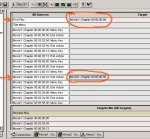
Best solution is not to cut it off, but in Meastro, make a Chapter point on Movie2 where you want it to lead into (ie 2-3 second from stat of movie2). But now set the End Action of the last chapter of Movie1 to point to Movie2 Chap 00:00:03:00 (or where ever you set it to). That way as Movie1 finishes, it then jumps to 2-3seconds into Movie2 and continues.
Error when adding SVCD MPEG to Assests in DVD LAB
Guys i am trying to make DVD out of my SVCD. The SVCD cd 1 loaded transcoded w/o a problem the second one however is ****ing up and gives me the following error. "Cause not a 111722 or 13818-2 video stream, please go to tool Fix Audio Header". The Fixing of the problem by going to tools and fix stream headers does nothing "Nothing Done" is the reply when i click on fix. Anything i can do ?
Attachments
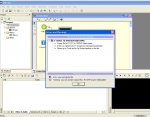
With the nameof the file being AVSEQ01.MPG, I suspect all your done is copied the file off the CD to your HD. You need to extract the true MPG file out of the CD mpeg. Read my SVCD to DVDR Tutoriial on how to do that.
 HI, maybe you(ChickenMan) can help. My friend and I have some svcds we want to convert to dvd, I followed another guide and failed to create a dvd. I used isobuster to strip the svcd to just a mpeg then I tried to put the mpeg in TMPGENce DVD Author. Its came up with a error message that says it couldn't convert the video because it wasn't in a standard size of 720x480. It was in 480X480(a sd-6 encode) Outside of converting the mpeg using standard TMPGENce can you think of a simple method of converting them to dvds. BTW One of the main reason were doing this is becuase 4 out of the five dvd players we own won't play svcds. Secondly we have over 45 cd to convert so that why I am looking for a shortcut.
Thanks
Sirelf
DVDLab will recognise the TMPGEnc AC3 Plugin id you have it installed. The conversion tool appears in the Tools tab, so just use that. Works really great.webdk said:Thx for previous info it worked with isobuster. but DVDlab after transcoding gives off only mpa file and sweetbee doesnt accept it. How would i get it? Tmpeg says the SVCD mpeg file is invalid eventhough dvdlab accepts it
Else, demux the mpg file with TMPGenc before loadinging into DVDLab and just manually convert the mp2 audio to AC3 with ffMPEG. There is a Tute explaining how to use ffMPEG in the Tute section.
First of all, read this whole thread, I think all your answers are there, then go to the Tutorial section and read the SVCD to DVDR Tutorial. It doesnt use TMPGenc DVD Author, it uses DVDLab, that works. But since your DVD Players dont play SVCD's now, I doubt very much it will play them just authored to DVDR. Try one, and if all is okay, then great and continue on. If not, go right back to the start of this thread and follow the simple guide about renaming the mpg files and then re-encode them to true DVD specs.sirelf said:
Thanks
Sirelf